 People
An icebreaker that works before anyone says hello
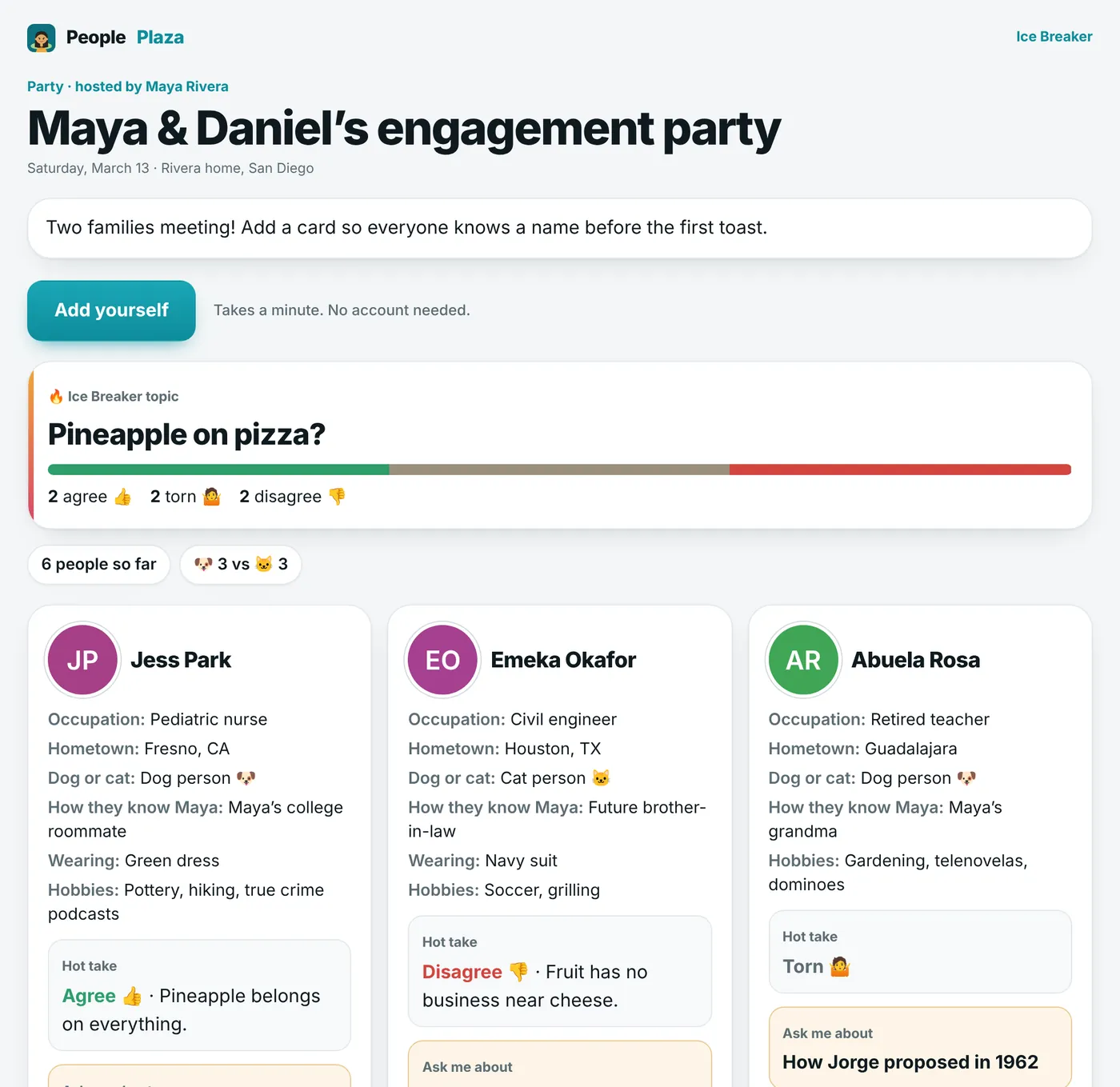
Send one link before the party, the first meeting, or the first day. Everyone adds a quick card, and walks in already knowing a few names and something to talk about.
Sign in with Google. Your plaza is private to you and the people you invite.
How it works
Four steps, most of them a tap.
- Make the boardGive it a name, a date, and a place. Pick which questions guests answer.
- Send one linkText it, email it, or put the QR code on the invitation.
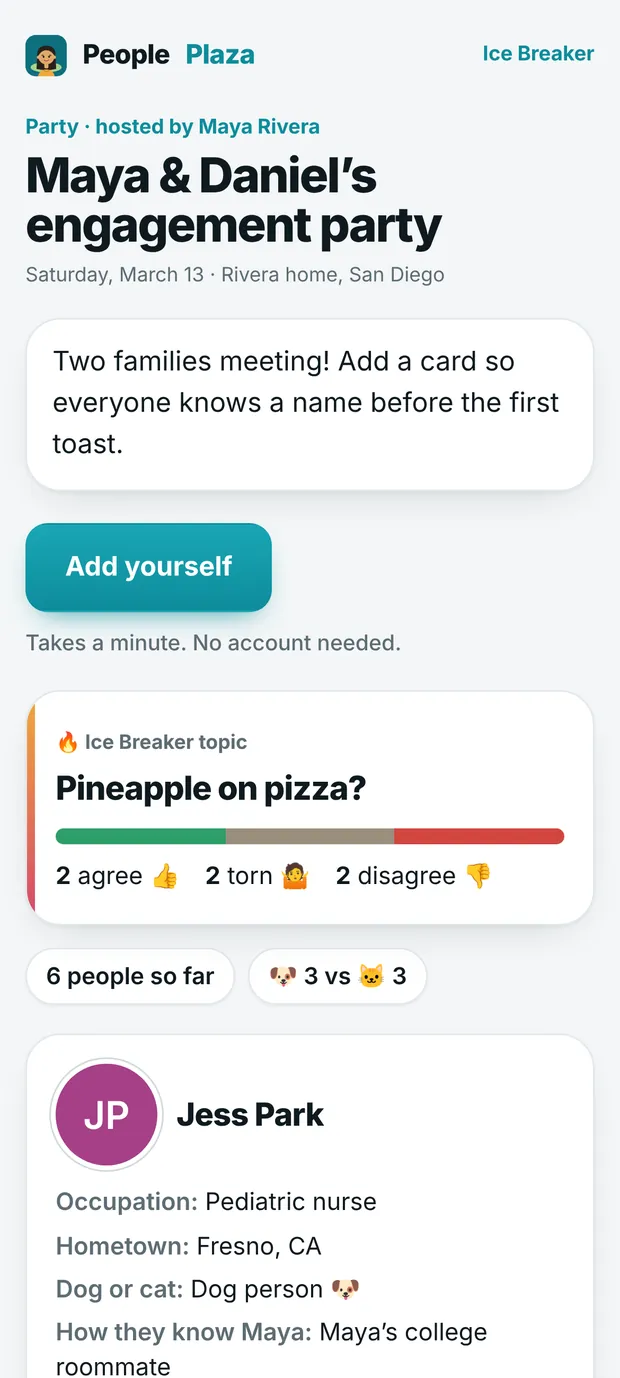
- Guests add a cardA photo, what they do, hometown, dog or cat, how they know you, what they’ll be wearing, and something to ask them about.
- Show up knowing peopleBrowse the cards before the event, or group them by dog people and cat people, shared hobbies, or hometown.
A hot take to get people talking
Add a light topic like “Pineapple on pizza?” Everyone votes agree, disagree, or torn, and can add their take. It gives strangers an easy first line.
- See the room split live as votes come in.
- Group the cards by vote and introduce the two sides.
- Change the topic anytime.
Questions
Do guests need to download an app or make an account?
No. The link opens in any browser, and adding a card takes about a minute.
Can I remove a card?
Yes. As the host you can review and remove any card, and you can close the board to new cards.
Can I use it at work?
Yes. It works well for a new team, an internship class, or a new rotation: everyone learns names, roles, and hometowns before the first meeting.
What happens when the event is over?
You can delete it. Anyone who opens the link afterwards just sees that the host deleted the event.
Ready when you are
Free, private, and it takes a minute to start.