 People
A wedding seating chart that builds itself
People Plaza already knows who’s family, who’s friends, and who works together. Answer a few questions, and it drafts the guest list and the tables. You just make the final calls.
Sign in with Google. Your plaza is private to you and the people you invite.
How it works
Four steps, most of them a tap.
- Pick the occasionWedding, engagement party, birthday, graduation, church event, or dinner. It sets sensible starting choices for you.
- Choose who it’s forPick the couple. Partners are hosts automatically, and both families are pulled in.
- Check the guest listImmediate family, extended family, friends, and groups, each with a reason. Untick anyone, or add someone just for this event.
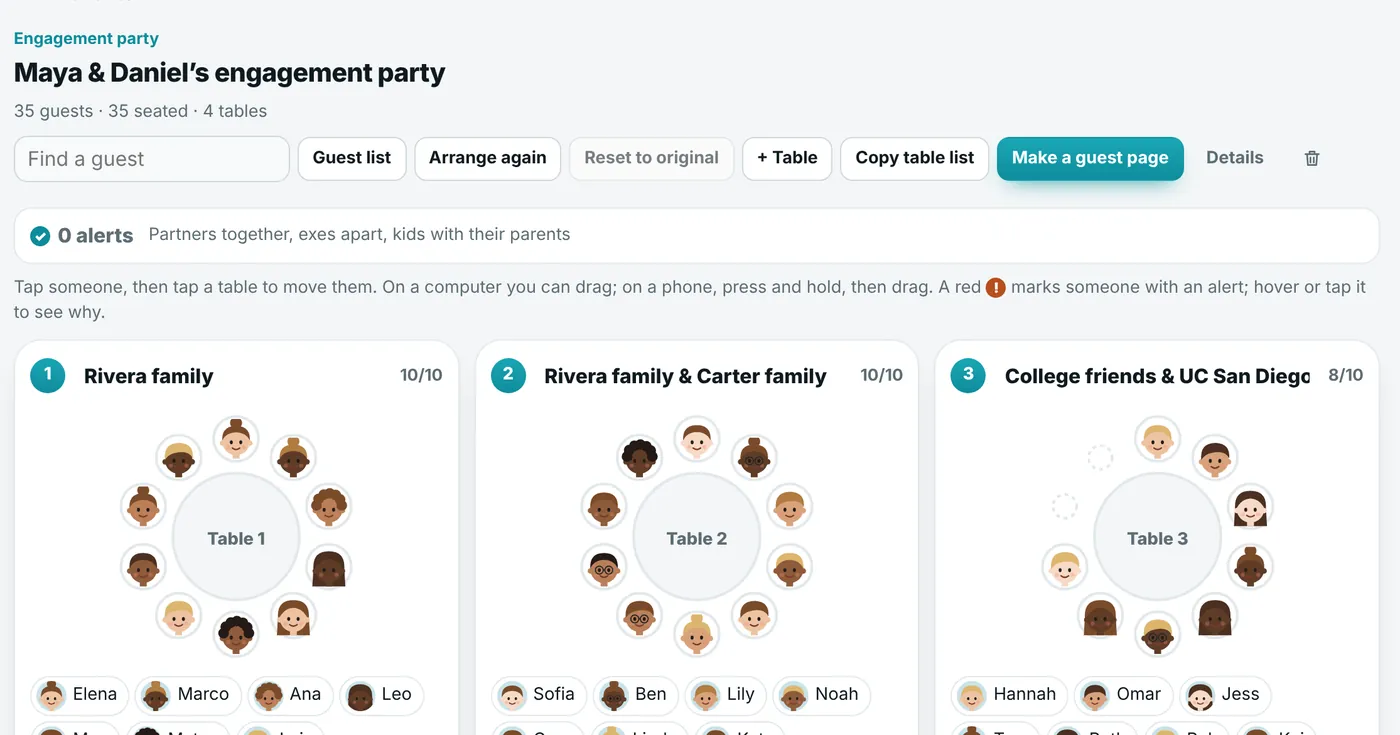
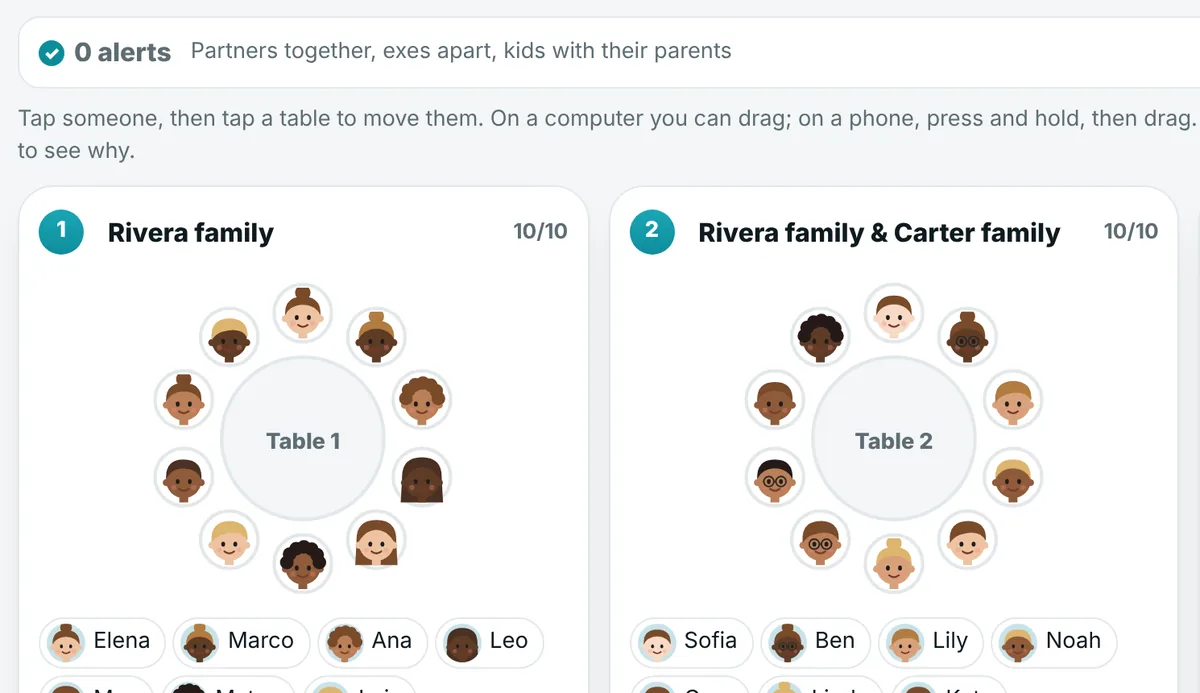
- Arrange the tablesOne tap seats everyone by family and group. Drag anyone to another table, and reset to the original whenever you like.
The awkward stuff, handled
Every family has a few rules nobody writes down. People Plaza watches them for you while you move people around.
- Partners sit together. Move one and it reminds you about the other.
- Exes sit apart. Divorced couples are kept at different tables, and you get an alert if they end up together.
- Kids stay with a parent. Children are flagged if they end up at a table without their mom or dad.
- Nobody is invited by mistake. People marked as passed away, or as never invite, stay off the list.
Guests find their own table
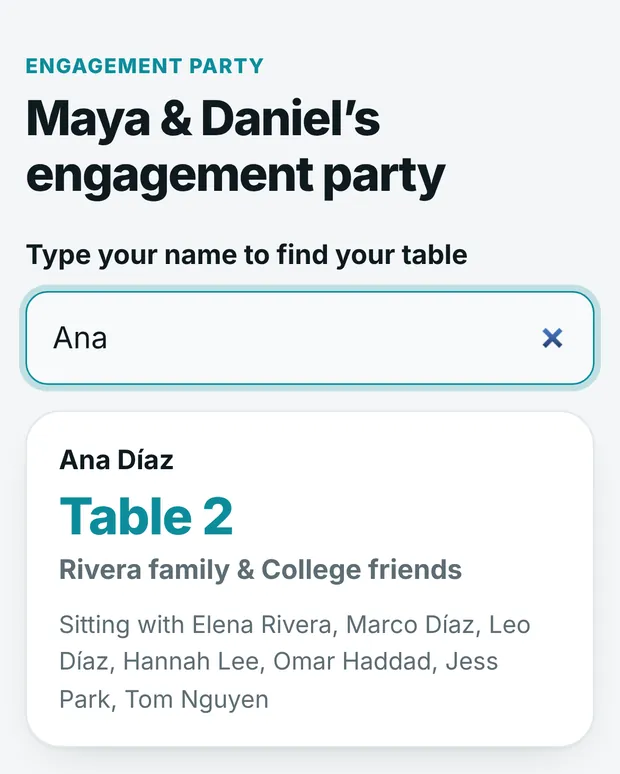
Make a guest page and print the QR code for the entrance. Guests scan it, type their name, and see their table and who they’re sitting with. Move someone, and the page updates on its own.
- No app and no account for guests.
- Shows names and tables only, nothing else from your plaza.
- Or copy the whole table list to paste into a doc or send to your venue.
Questions
Is it really free?
Yes. People Plaza is free and supported by small picture ads beside the page on wide screens. Ads never play sound and never cover what you’re using.
Do I have to add every guest to my plaza first?
No. You can add someone just for this event, without putting them on your plaza. But anyone who’s already in your plaza is suggested for you, with the reason they’re on the list.
How big can the tables be?
Anywhere from 2 to 30 seats per table, with an optional sweetheart table or head table.
Can I keep two people apart?
Exes are kept apart automatically. For anything else, write a note like “seat the grandparents near the front” and ask Claude to arrange the tables around it.
Can guests see my whole plaza?
No. The guest page only shows guest names and table numbers, and only to people with the link.
Ready when you are
Free, private, and it takes a minute to start.